Matrix Scans
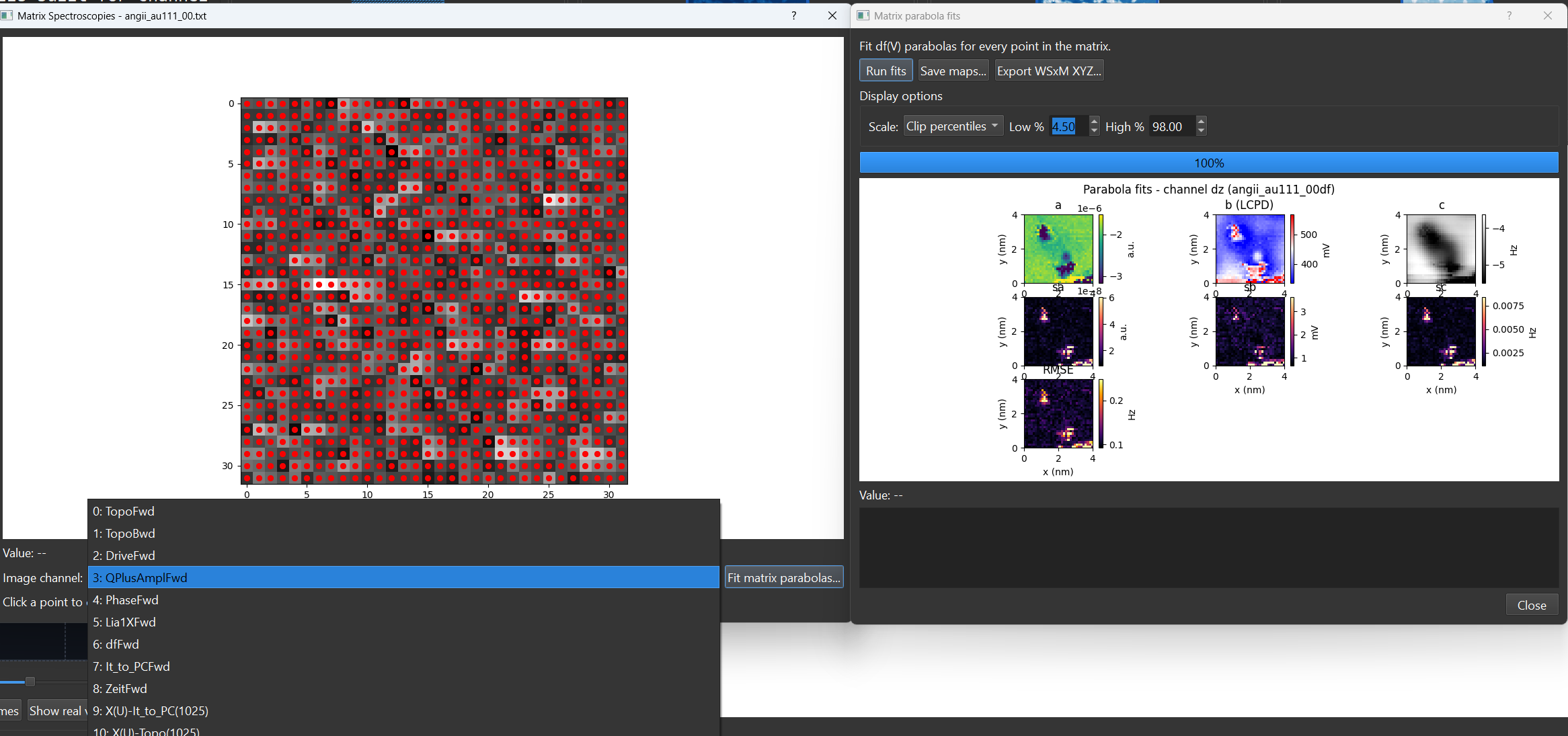
A matrix scan (also called grid or CITS-style spectroscopy) stores many spectra sampled across a spatial grid over an image, rather than a single point. SXM Viewer reconstructs and displays these grids in a dedicated Matrix Spectroscopy Viewer.
Opening a matrix dataset
Matrix datasets appear alongside single-point spectra in the thumbnail grid and the Spectroscopy Browser, flagged so you can filter for just matrix entries. Opening one launches the Matrix Spectroscopy Viewer.
The matrix viewer
The viewer shows a grid of acquisition positions over a reference image, with tools to turn the whole grid into a 2D map or drill into individual spectra:
- Reference image - pick which real scan channel to display underneath the grid of positions.
- Channel map / Map mode - reconstruct a 2D per-pixel map from the matrix stack using one of three aggregations: Max amplitude, Peak position, or Integral.
- Show all spectroscopy positions - toggle every grid point on/off over the reference image.
- Color cycle - the palette used for plotted traces.
- An info label showing point count, grid dimensions, the X/Y range in physical units, and the acquisition time span at a glance.
Selecting and plotting positions
Click a grid position to plot its spectrum. Click additional positions to build a multi-selection - each one is added to a selection table (channel, X, Y in nm) alongside a shared comparison plot, so you can visually compare spectra from different points in the grid.
- Export selection to CSV writes every selected spectrum as a long-format table (
channel, index, x_nm, y_nm, bias, bias_unit, value- one row per point per bias step). - Clear selection empties the table and comparison plot.
Right-click canvas menu
Right-clicking the grid canvas exposes: marker style (circle/square/diamond/triangle/cross), marker size (several presets, or a custom size), marker fill/edge color, typography (font family/style), Clear selections, and Reset view.
Matrix-wide fitting
The Fit matrix parabolas... button runs the same quadratic bias-spectroscopy fit used elsewhere (see Parabola Fits) independently at every pixel in the grid, producing a set of 2D fit-parameter maps (including the LCPD map) - see KPFM Data for the dedicated dialog this opens and what each output map means.