SXM Viewer
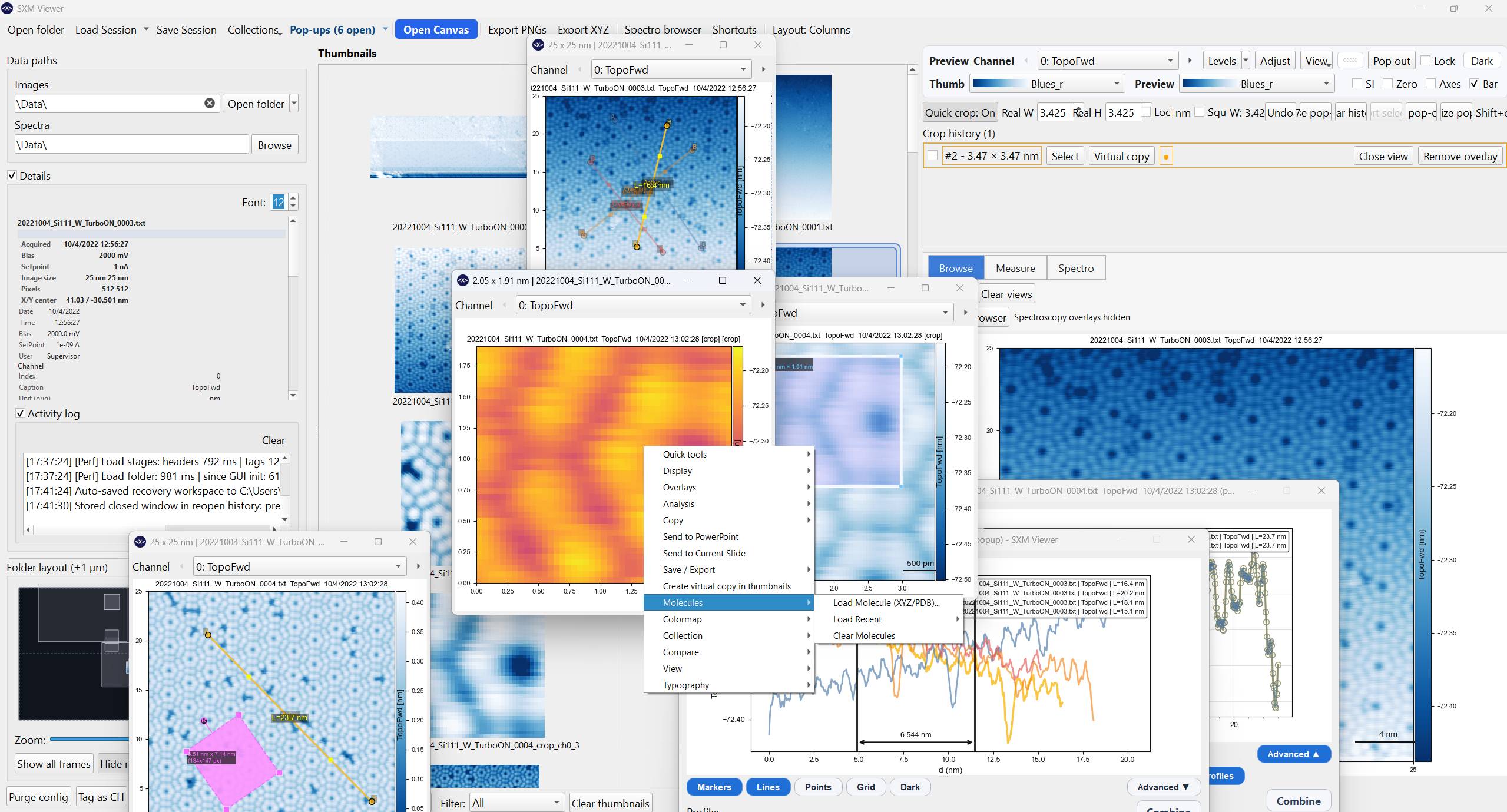
SXM Viewer is a scientific SPM (Scanning Probe Microscopy) data analysis tool tuned for data acquired with an Anfatec SXM controller running an Omicron Infinity microscope (tribus head, QPlus sensors at 8.6 K). It also supports Nanonis .sxm files via a conversion adapter.
What it does
- Browse large SPM data folders quickly via a thumbnail grid and minimap — no blocking on full renders.
- Analyse images with profiles, angle measurements, cropping, filters, drift correction, and A/B comparison.
- Visualise spectroscopy — single traces, matrix scans, waterfall plots, and parabola/KPFM fits — alongside your scan images.
- Overlay 3D and 2D molecular models, scale bars, and acquisition metadata directly on images.
- Export publication-ready figures to PNG, SVG, PDF, and PowerPoint, animations from a scan sequence, or compose multi-image figure layouts in the built-in canvas.
- Save sessions (with autosave/recovery) and collections so you can return exactly where you left off, or curate a cross-folder set of key images.
Quick start
git clone https://github.com/Ex-libris/sxm_viewer.git
cd sxm_viewer
conda create -n sxmviewer python=3.11
conda activate sxmviewer
cd .\scripts
python -m pip install -r .\requirements.txt
cd ..
python -m sxm_viewer
If you prefer the project-managed installer instead of Conda, see Installation. That page also explains the Windows launcher scripts and the supported Python versions.
Navigation
Use the tabs above or the sidebar to find documentation by topic. If you are new, start with First Steps. The Keyboard Shortcuts reference is worth keeping open in a second tab.